1] Check firefox version, use the updated version.
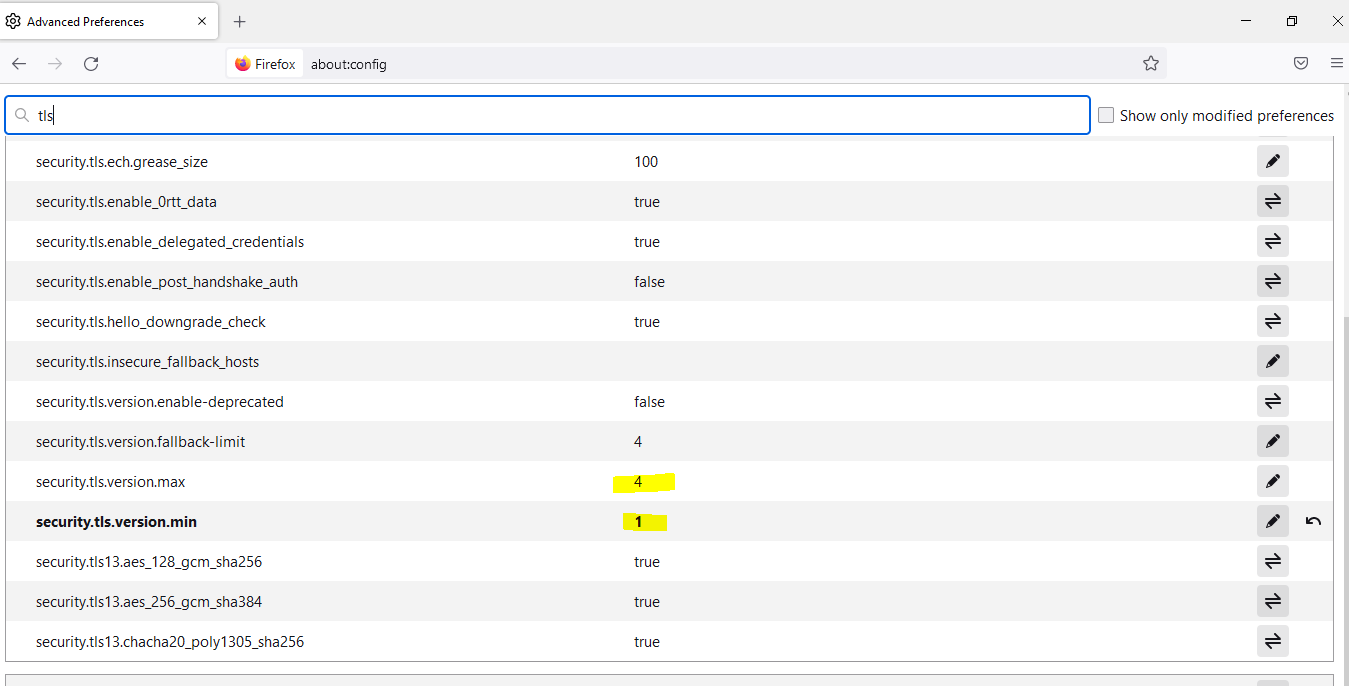
2] The SSL/TLS settings may change due to windows update. It should be like the below screenshot.
In your Firefox browser >
search "about:config" in the URL bar
click on accept risk and continue
set the TLS version as mentioned in image
Restart the firewall
Please check the below screenshot for more clarification.
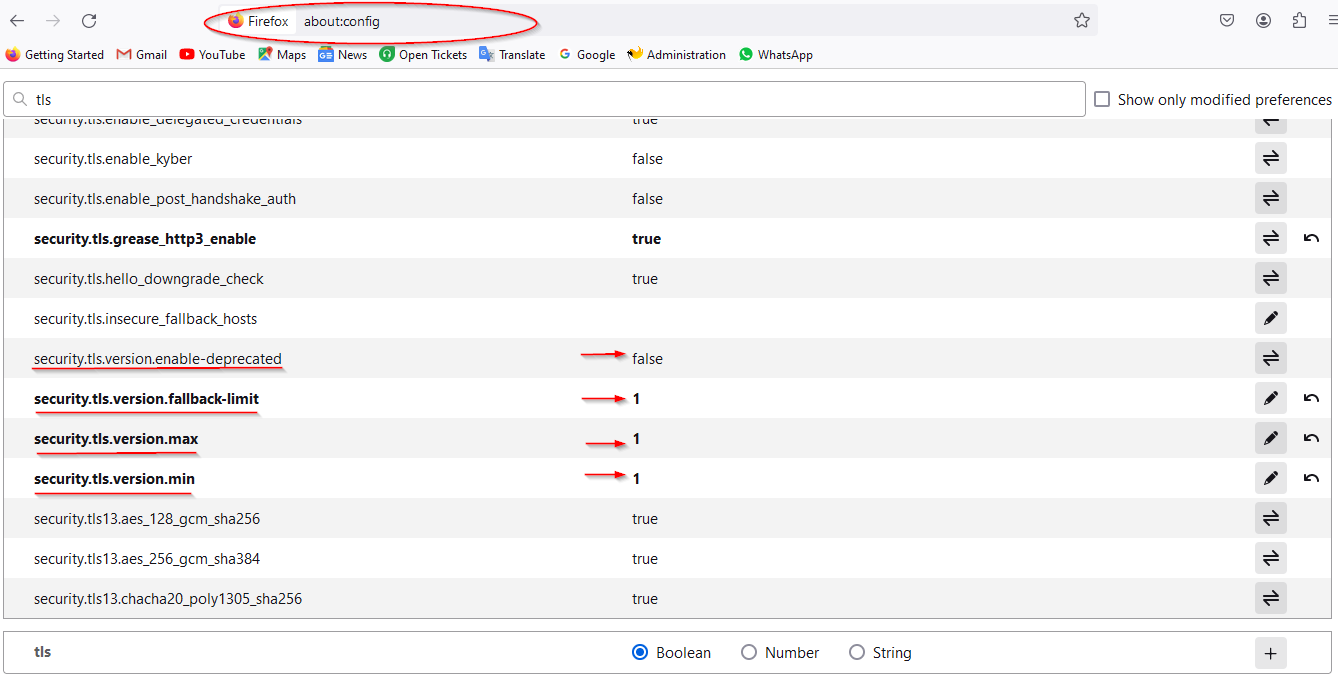
Few browsers may show TLS error for other sites if we set version=1. In that case set min.version=1 and max.version=4 and fallbak-limit=4 as shown in below screenshot