Steps to Change the SpamTitan Password
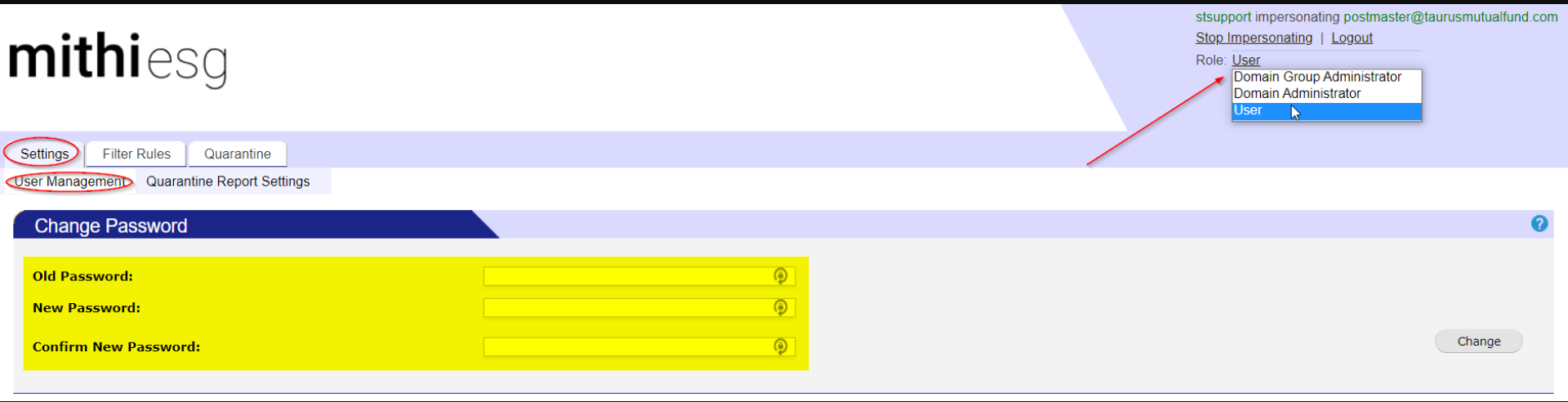
Change the user's role from Admin to User.
Navigate to Settings → User Management.
Enter the Old Password and New Password, then click Change to update the password, as shown in the image below.
Please Note:
You cannot change the password while using the Admin role. You must first change the role to User.
Alternative Option – Forgot Password: You can also reset your password using the Forgot Password feature. Click on Forgot Password and follow the instructions. You will receive a password reset email in your registered mailbox.